

What are IO Credits?
IO Credits are prepaid credits you can use to pay for compute deployments on io.net Cloud, including Ray Clusters, VMs, Kubernetes, and Baremetal. Each IO Credit is equivalent to 1 USD, this allows pricing to be simple and consistent.Why IO Credits?
- Pay once to use anytime.
- Can be used across io.net Cloud products.
- Faster checkout process during deployments.
- Refunds and incentives automatically appear as credits.
- API support is available for fully automated workflows.
Quick Start
-
On the Navigation Bar, click Buy IO Credits and A pop-up window will appear.

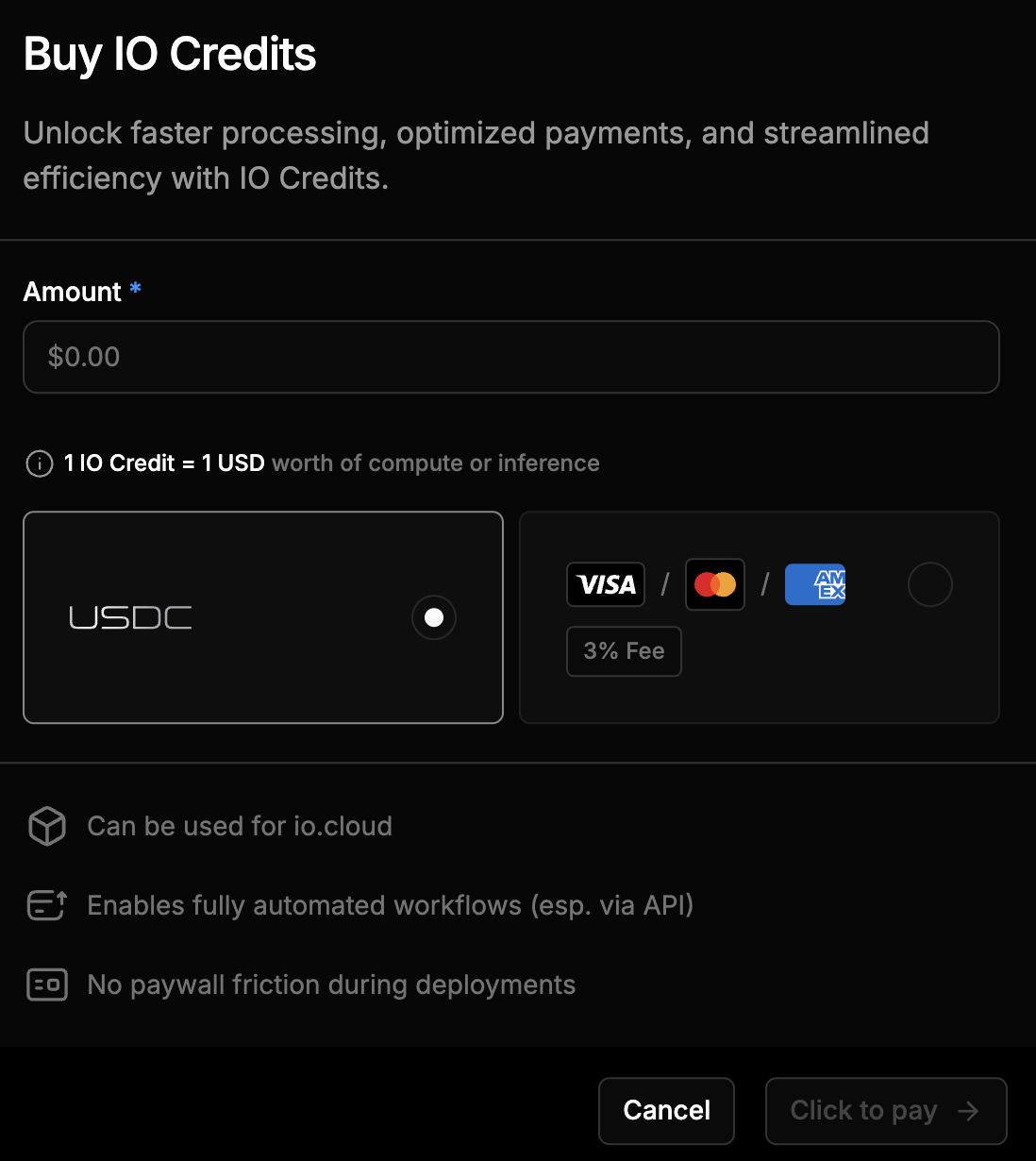
- Enter the amount of credits you want to purchase. The minimum purchase is $10.
- Choose a payment method: USDC or USD (Credit/Debit Card).
- If USDC is selected, you will be redirected to Spherepay to complete the transaction.
- If USD (Credit/Debit Card) is selected, you will be redirected to Stripe to complete the transaction.
- Once payment is confirmed, the purchased IO Credits will be added to your account.
- Use IO Credits to deploy compute or inference workloads.
- View your balance, track usage, and manage withdrawals in Usage & Billing.
Refunds as Credits
If a deployment ends early or is cancelled, any unused funds are returned as IO Credits. You will be notified via the Notification Center.Using IO Credits
Compute Products
During checkout you see the required amount and your current credit balance.1 IO Credit = 1 USD
Use via API
Deployment endpoints accept the parameterpayment_method: "credits".If the available balance is low, the system may provide fallback options such as:
GET /credits/check?amount=XX– Checks if sufficient credits are available for a specific amount.- Pending Payment state – Indicates that payment confirmation is required.
- Small negative credit allowance (for example, up to -$10) – Allows limited temporary usage.
- Five-minute grace window – Prompts you to top up before deployment fails.
- Failure to deploy – Occurs if credits are not replenished within the grace period.
Managing IO Credits
Viewing Credit Balance
To view your IO Credit balance:- Navigate to Usage & Billing from the top navigation bar.
- In this page you can:
- View your Total IO Credits displayed as a single balance (in USD).
- View your Credits Usage and Transactions.
- Request a Withdrawal (available for purchased credits only).
Request Withdrawal
You may submit a manual request to withdraw available purchased credits from your balance. Withdrawals are available only to users who have paid for credits. Once submitted, withdrawal requests are reviewed by the IO Finance team and typically processed within three to seven business days.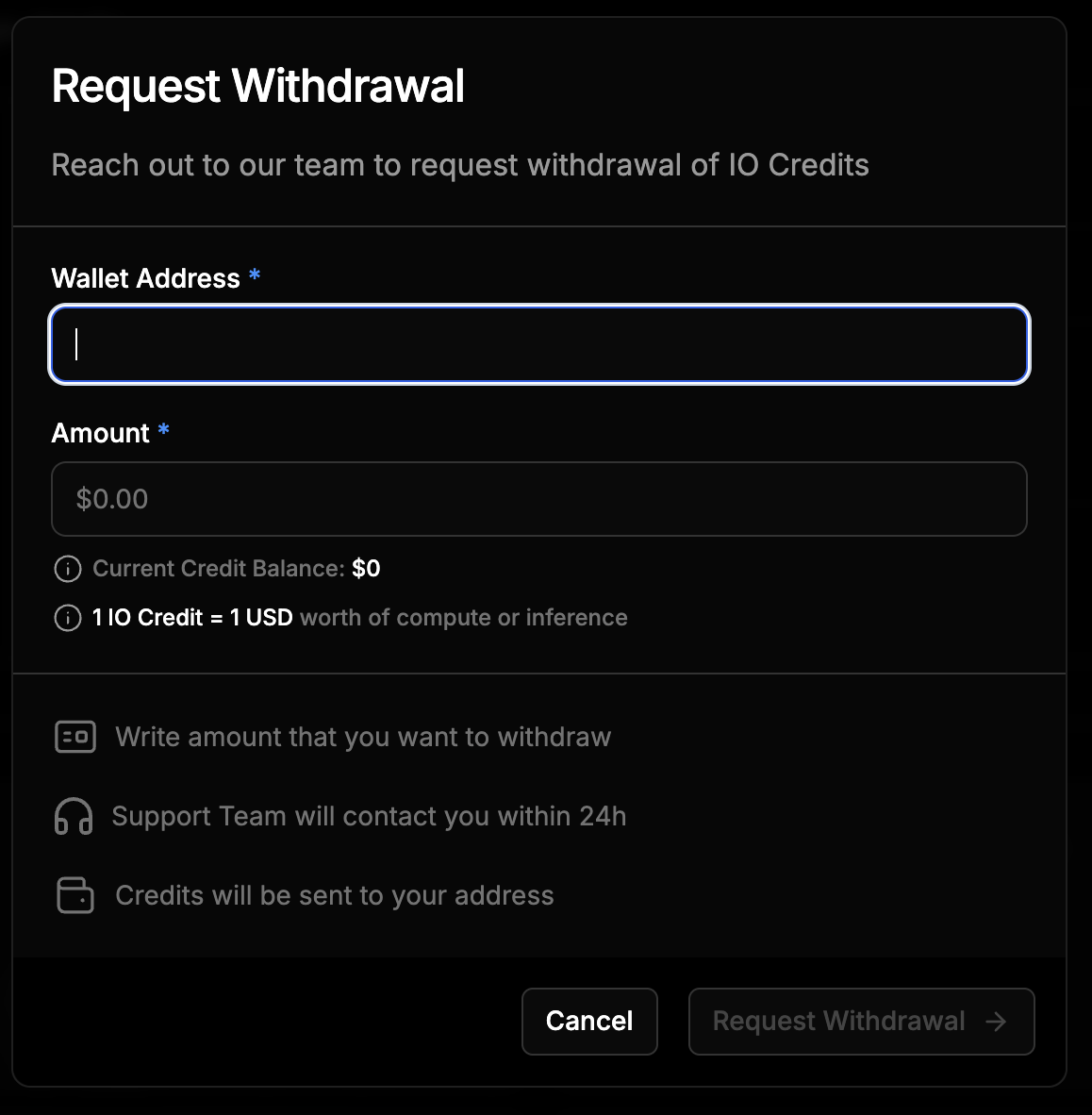
Viewing Transactions
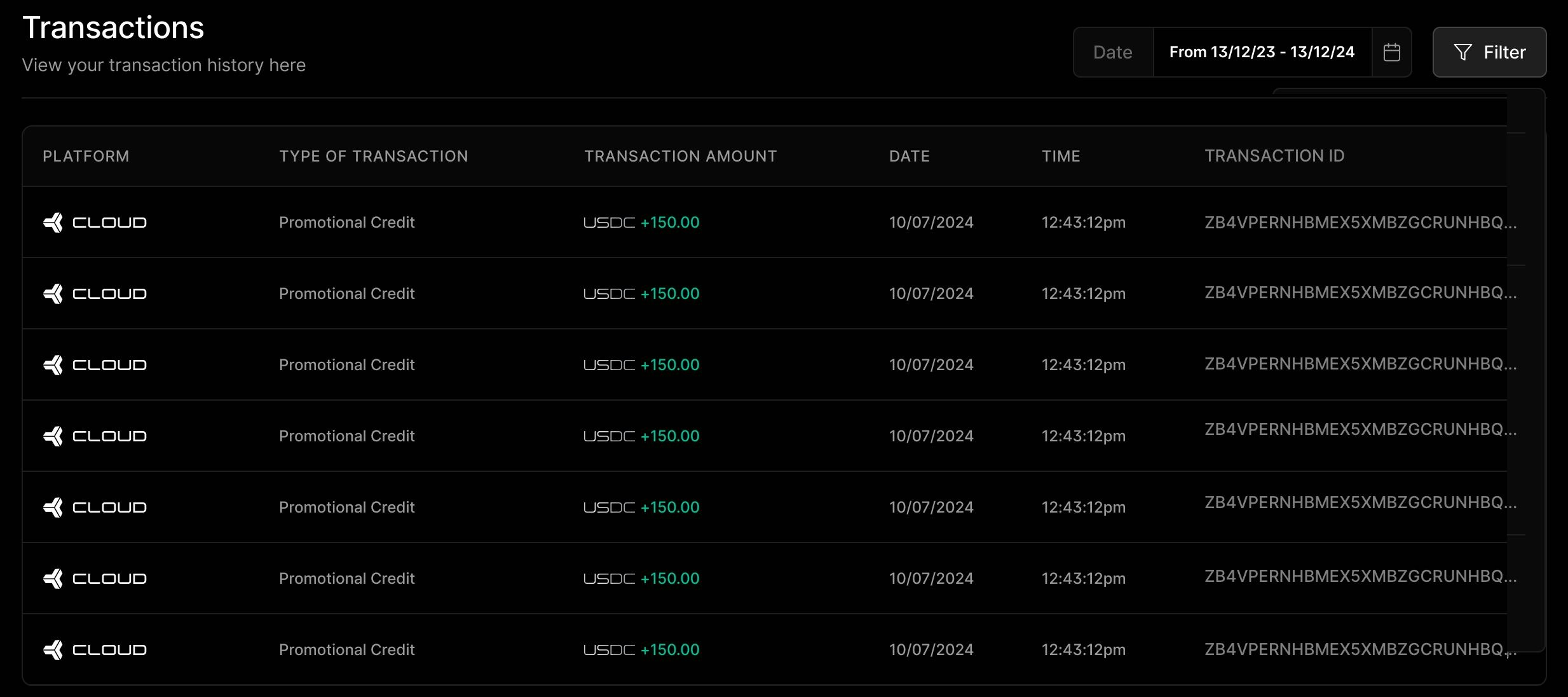
The Transactions section provides visibility into how your IO Credits have been added, used, or refunded. It allows you to track spending, reconcile deployments, and understand your current balance. You will find transaction entries for the following categories:- Credit Inflow – Credits that you have purchased or that have been issued to your account by the IO team.
- Usage Deductions – Credits spent on compute deployments, inference runs, or other billable operations.
- Refunds – Credits returned from early terminations, failed deployments, or unused services.
- Type of transaction
- Amount added or deducted
- Date and time of the transaction
- Transaction ID
Credit Usage via API and Tracking
Credits are tied to your IO ID and can be used across all io.net Cloud products. When using io.net APIs, you can specify the payment method ascredits to automatically deduct from your balance.
FAQs
What happens if I don’t have enough IO Credits?
What happens if I don’t have enough IO Credits?
You will be prompted to top up or use another payment method. Your deployment will pause temporarily and may fail if not resolved in time.
Can I convert credits back to USDC?
Can I convert credits back to USDC?
Only purchased credits may be withdrawn, after a manual review by the finance team.
Do IO Credits expire?
Do IO Credits expire?
Yes. All purchased IO Credits expire twelve (12) months from the date of purchase.
What happens when my IO Credits expire?
What happens when my IO Credits expire?
Once IO Credits expire, any unused balance will have no remaining value and cannot be withdrawn, refunded, or reinstated.
Does this expiration policy apply to all IO Credits?
Does this expiration policy apply to all IO Credits?
No. The 12-month expiration applies only to non-promotional credits, which are credits that were purchased or paid for by users.Promotional credits (for example, credits granted by the IO team for trials, rewards, or campaigns) may have different expiration timelines or conditions, which will be clearly stated when they are issued.
Can I extend or renew my IO Credit expiration date?
Can I extend or renew my IO Credit expiration date?
No. Once IO Credits have expired, they cannot be reactivated or extended. To continue using IO, you can purchase new credits at any time.